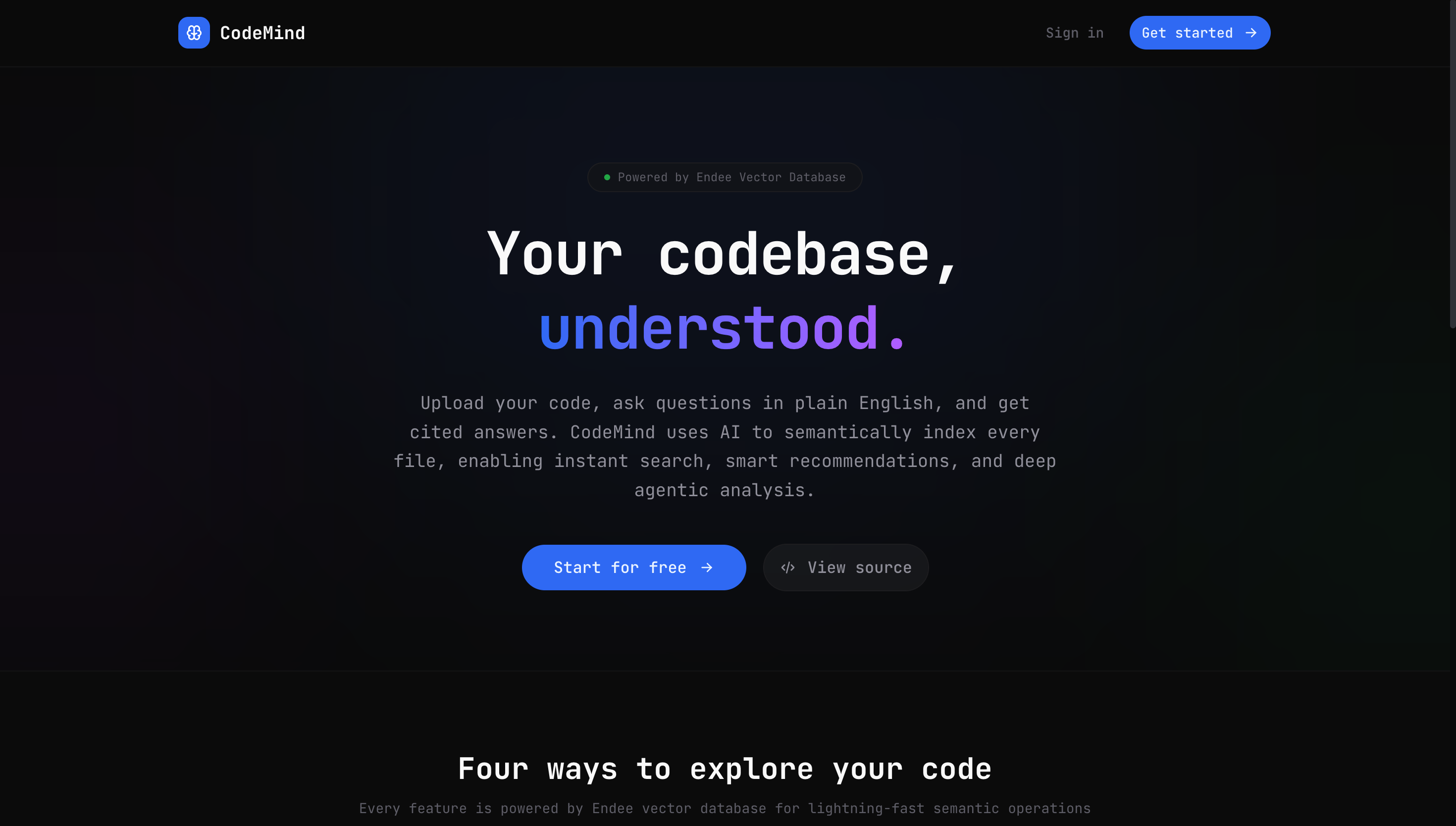
The Problem I Couldn't Stop Thinking About
You know that feeling when you join a new codebase and spend the first three days just reading files?
You grep for function names. You follow import chains. You ask a senior dev where the auth logic lives and they say "somewhere in services/" and you spend 40 minutes finding out it's actually split across four files in three different folders.
It's not a skill issue. It's a tooling issue. And I decided to fix it.
The result is CodeMind — an AI-powered code knowledge base. Upload your codebase, ask questions in plain English, and get answers that cite the exact file and line they came from. No hallucinations. No guessing. Just your code, understood.
Here's exactly how I built it in 48 hours.
Hour 0–2: Picking the Right Vector Database
The core of this project is vector search. Every feature — RAG, semantic search, recommendations, the agentic pipeline — all of it runs on top of a vector database.
I chose Endee — an open-source, high-performance vector database designed to handle up to 1 billion vectors on a single node. The reason it caught my eye: you can run it locally via Docker with zero configuration, and it has a clean Python SDK that doesn't get in the way.
Setup was genuinely this simple:
docker run -p 8080:8080 -v endee-data:/data endeeio/endee-server:latest
from endee import Endee, Precision

client = Endee()
client.set_base_url("http://localhost:8080/api/v1")
client.create_index(name="codemind", dimension=384, space_type="cosine", precision=Precision.INT8)
Done. Vector database running locally, no API key, no cloud dependency, millisecond latency. That's the kind of developer experience that lets you move fast.
Hour 2–8: The Ingestion Pipeline (Where I Almost Gave Up)
The first real challenge was figuring out how to chunk source code intelligently.
My first instinct was character-based chunking — split every 500 characters. It was a disaster. Functions got cut in half. Docstrings got separated from the code they described. The embeddings were meaningless because the chunks had no coherent meaning.
The fix: line-based chunking with overlap.
def chunk_by_lines(text: str, chunk_lines: int = 60, overlap: int = 10) -> list[str]:
    lines = text.splitlines()
    chunks = []
    start = 0
    while start < len(lines):
        end = min(start + chunk_lines, len(lines))
        chunk = "\n".join(lines[start:end]).strip()
        if chunk:
            chunks.append(chunk)
        if end >= len(lines):
            break
        start = end - overlap  # overlap keeps context bleeding between chunks
    return chunks
60 lines per chunk, 10 lines of overlap. The overlap is the key insight — functions bleed across chunk boundaries, and without overlap, you'd lose the connection between a function signature and its body.
Each chunk then gets embedded with all-MiniLM-L6-v2 from sentence-transformers (384 dimensions, fast, surprisingly good for code), and stored in Endee with metadata: file_path, language, chunk_index, text.
For ZIP uploads, I added automatic extraction with smart filtering — node_modules, __pycache__, .git, dist and build directories get skipped automatically. Nobody wants their vendor code polluting their search results.
Hour 8–16: Building the Four Features
Feature 1: Semantic Search
This is the simplest feature and the one that feels most like magic when you first use it.
Type "function that handles database connection" and Endee returns the exact chunks that match — ranked by cosine similarity. No keywords required. It understands meaning, not just words.
The implementation is clean:
query_vector = model.encode([query]).tolist()[0]
hits = endee.search(query_vector, top_k=8)
That's genuinely all the search logic is. The heavy lifting is done by Endee's HNSW indexing under the hood.
Feature 2: RAG Chat
RAG (Retrieval-Augmented Generation) is the combination of vector search and an LLM. The idea: don't ask the LLM to memorize your codebase. Instead, find relevant chunks at query time and include them as context.
The pipeline:
- Embed the question
- Search Endee for top 6 relevant chunks
- Build a prompt with those chunks as context
- Stream the response from Ollama (running
llama3.2locally)
The prompt engineering here matters a lot. I found that being explicit about citation format improved answer quality significantly:
Use inline citations like [1], [2] immediately after each claim.
Place [N] after EVERY fact — not just at the end of paragraphs.
If the answer is not in the context, say so. Do not hallucinate.
That last line is critical. Without it, the LLM will confidently make things up. With it, it actually says "I don't see this in the provided code" — which is far more useful than a confident wrong answer.
Feature 3: Recommendations
When you select a file from your indexed codebase, CodeMind suggests the 4 most semantically similar files.
The trick here is computing a document-level embedding — a single vector that represents the entire file, not just one chunk. I did this by taking the mean of all chunk embeddings for that file:
chunk_vectors = [chunk["vector"] for chunk in file_chunks]
mean_vector = np.mean(chunk_vectors, axis=0).tolist()
similar = endee.search(mean_vector, top_k=20)
# filter out same file, deduplicate by file_path
In practice, this surfaces genuinely useful relationships. Authentication middleware gets recommended alongside JWT utilities. Database models get recommended alongside the repository layer. It's the kind of "you might also need this" that a senior dev would naturally tell you.
Feature 4: Agentic Q&A
This is the most complex and most impressive feature. When a question is too broad for a single search — "How does the entire auth flow work end to end?" — a single RAG call isn't enough. You need to search from multiple angles.
The agent does three things:
Step 1 — Decompose. Ask Ollama to break the complex question into 3 focused sub-questions.
"How does auth flow work?" becomes:
  → "Where is the JWT token created and signed?"
  → "How is the token validated on incoming requests?"
  → "What happens when a token expires or is invalid?"
Step 2 — Multi-search. Run a separate Endee search for each sub-question. Deduplicate results across all three searches by (file_path, chunk_index).
Step 3 — Synthesize. Feed all retrieved chunks plus the original question to Ollama. Generate a comprehensive answer that cites every source.
The UI streams each step in real time — you watch the agent think. That transparency is what makes it feel genuinely intelligent rather than like a black box.
Hour 16–36: The Frontend
I built the frontend in Next.js 15 with Tailwind and shadcn/ui. The design philosophy was deliberately utilitarian — this is a developer tool, not a consumer app. Dark background, monospace fonts for code blocks, no gradients.
Two-panel layout:
- Left panel: File upload (drag & drop ZIP or individual files), indexed files list with language badges, file selection for recommendations
- Right panel: Three tabs — Ask (RAG chat), Search (semantic search), Agent (agentic Q&A)
The SSE streaming for the chat and agent features was the trickiest frontend work. Parsing Server-Sent Events line by line, handling different event types (status, sources, token, step, done, error), and keeping the UI reactive to all of them without race conditions — that took most of the frontend time.
The Mistakes I Made (So You Don't Have To)
1. Installing jwt instead of PyJWT
Both are installable via pip. Both import as import jwt. Only one has .encode(). I spent 45 minutes on this.
pip uninstall jwt
pip install PyJWT
2. Endee result items are dicts, not objects
The query results from Endee are plain Python dicts. I kept writing result.id and getting AttributeError. It's result["id"]. Simple, cost me 20 minutes.
3. Character chunking for code
Already mentioned above. Line-based chunking with overlap is the correct approach for source code. Character-based chunking destroys semantic coherence.
4. Not filtering build directories during ZIP ingestion
My first ZIP test indexed 47,000 chunks from a Next.js project. Most of them were from node_modules. Always filter build artifacts before indexing — it's noise that degrades search quality.
What Surprised Me
Endee's latency. I expected local vector search to be slow on a MacBook. It wasn't. Millisecond search across thousands of chunks. HNSW indexing is genuinely impressive at this scale.
How much prompt engineering matters for code. The difference between "answer using the provided context" and the detailed citation prompt I ended up with was significant. The LLM needs explicit instructions to stay grounded on code tasks.
How useful recommendations are. I expected this to be the weakest feature. It ended up being the one I used most when navigating unfamiliar code.
What's Next
- GitHub repository indexing — paste a repo URL, CodeMind clones and indexes it automatically
- Multi-language optimization — better chunking strategies for different languages (Python functions vs JavaScript classes vs Go interfaces have different natural boundaries)
- Diff analysis — "what changed between these two commits and what are the implications?"
Try It Yourself
The entire project is built on open-source tools:
| Tool | Purpose |
|---|---|
| Endee | Vector database — local Docker, zero API cost |
| sentence-transformers | Code embeddings — all-MiniLM-L6-v2, 384-dim |
| Ollama | Local LLM inference — llama3.2 / codellama |
| FastAPI | Backend API with SSE streaming |
| Next.js 15 | Frontend — App Router + Tailwind + shadcn/ui |
If you've ever onboarded to a new codebase and wished you had a senior dev sitting next to you explaining everything — that's what I was trying to build.
48 hours. 4 features. One vector database. Fully local, fully private, zero API costs.
Built by Dainwi Kumar — 3rd year B.Tech CSE, Galgotias University. Find me on GitHub | Portfolio